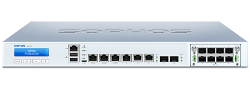
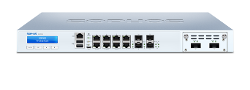
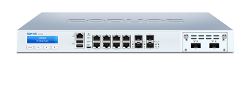
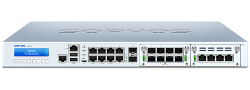
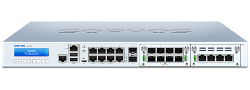
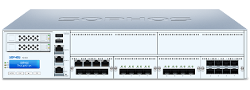
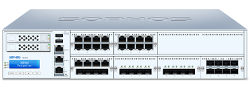
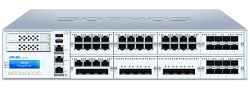
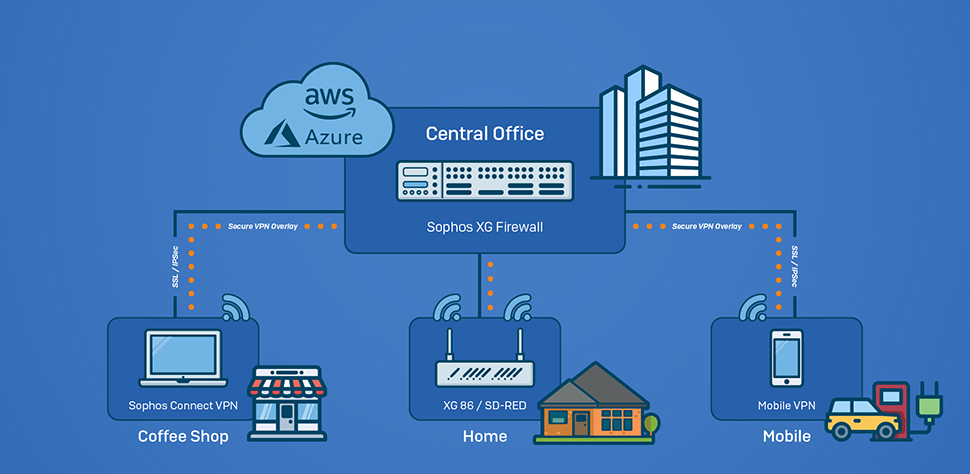
1. Choose your XGS model
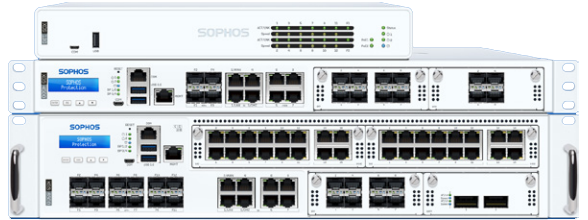
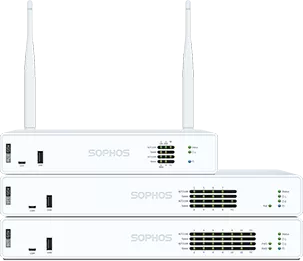
Select the equivalent XGS appliance for your XG model (for example, XG 230 → XGS 2300). We will help size it to your network.

End of life · March 31, 2025
Security updates for XG Series appliances stopped after March 31, 2025. Move to the XGS Series to stay protected — now available to MSPs with no upfront cost through Firewall as a Service.
End of Life reached — March 31, 2025. XG Series appliances no longer receive security updates, patches, or support, so protection weakens over time and your network is increasingly exposed. Migrate to XGS →
XG appliances reached End of Life on March 31, 2025. They keep running, but protection and functionality degrade over time as updates stop. Here is what that means for XG owners.
No further Sophos Firewall OS updates, security patches, or hardware support are provided for XG Series appliances.
Once subscriptions lapse, IPS, anti-virus, web filtering, and threat feeds stop updating — leaving gaps that new threats can exploit.
Running end-of-life security hardware can affect audits and cyber-insurance claims. Migrating restores a fully supported posture.
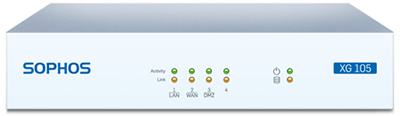
| Impacted products | XG 86, 86w, 106, 106w, 115, 115w, 125, 125w, 135, 135w, 210, 230, 310, 330, 430, 450, 550, 650, 750. XG 85 and XG 105 reached an earlier end of life and are no longer supported. |
|---|---|
| End-of-life date | March 31, 2025 |
| Last supported software | Sophos Firewall OS (SFOS) v20 and its maintenance releases. SFOS v21 and later do not support XG hardware. |
| Recommended action | Migrate to the equivalent XGS model — for example, XG 210 → XGS 2100. See the migration steps below. |
XGS runs the same Sophos Firewall OS, so your configuration carries over. Most customers are up and running with a simple backup and restore.
Select the equivalent XGS appliance for your XG model (for example, XG 230 → XGS 2300). We will help size it to your network.
The backup / restore assistant supports any-to-any restore with port mapping, so your configuration moves across regardless of interface count.
Register the XGS in Sophos Fusion, apply licenses, and reconnect access points and SD-RED devices. Remote sites can use Zero Touch deployment.
Sophos Firewall as a Service (HWaaS) lets MSPs deploy XGS Series hardware billed monthly through MSP Flex — the appliance, standard shipping, and Xstream Protection in one predictable price.
Turn a capital hardware purchase into a predictable monthly operating expense billed through MSP Flex.
Every deployment bundles the XGS appliance, standard shipping, and the Xstream Protection subscription.
12-month minimum commitment, then month-to-month — aligned to how MSPs already bill their customers.
Available to MSPs in the U.S. and Canada through participating distributors, starting July 1, 2026. Eligible XGS models and pricing available on request.
Existing XG customers can refresh to XGS with these trade-up offers, or add MDR/XDR for fully managed threat response.
Common questions about XG end of life and moving to the XGS Series.
The majority of XG customers move to the equivalent XGS model, e.g., XG 210 -> XGS 2100.
We recommend that you ask your Sophos partner to go through your current requirements to ensure the new firewall is sized correctly for your network. This is also a good opportunity to ask about current offers for your hardware refresh.
Our systems currently allow for a 30-day grace period on the XG subscriptions from the start of the new license for XGS. The license on the XG shows as expired, but the licensed functionality will continue to work for 30 days, providing an overlap for both appliances and giving you time to complete the migration.
Grace-period terms may be updated over time. Check with us for the latest details when you plan your migration.
Using the Backup/Restore process, you can migrate your XG configuration to the equivalent XGS model without any behavior change (as it is the same OS). Please check with your local Sophos Partner if you are unsure about using this functionality.
The Backup/Restore assistant now supports any-to-any restore with port-mapping options, so you can restore your backup on any XGS device regardless of the number of interfaces. You can also migrate remotely using Sophos Fusion's Zero Touch deployment. See the Sophos Migrate XG to XGS guide, or check with us for full detail.
All XG Series hardware appliances will be end-life and end-support after March 31, 2025, irrespective of how they are deployed and licensed. This includes XG hardware appliances deployed with MSP Flex licensing.
Sophos Firewall OS (SFOS) v20 will be the last major release to support the XG Series hardware. V20 maintenance releases will also include support.
SFOS v21 and later do not support XG hardware. Customers who want to run current Sophos Firewall software must upgrade to XGS Series hardware.
The functionality included with the Base License (Firewall/ VPN/ Wi-Fi) will still be available, however, as the software will not receive further updates, this component will age, and any issues or security vulnerabilities will NOT be fixed after the EOL.
We strongly advise against the continued use of any EOL product and have several attractive offers to make the transition as easy as possible.
Sophos Firewall XG series deployments that still have a valid license and subscriptions will continue to run after the end-of-life date but over time, functionality and security will be degraded.
Features that depend on pattern updates or live lookup services could be impacted.
The pattern updates and cloud scanning can stop shortly after March 31, 2025:
You will no longer be protected against new threats or the latest changes to website categorization.
As these pattern upgrades stop for XG hardware and the installed data and engines age, the behavior of the features that depend on those components may become unreliable. Web Filtering and Email Filtering in particular may fail and cause traffic disruption beyond the failure to detect new threats.
Base License and other features that do not depend on data services or updates, such as routing, VPN, high availability, and reporting should not be directly impacted.
Please note: The management of any connected SD-REDs is part of the Network Protection subscription and therefore, that functionality would be impacted once the subscription expires.
After the end-of-life date:
This may result in the product, your data, and networks protected by the XG series firewall becoming increasingly vulnerable to attack. We strongly advise against using any EOL product. As a business, this could seriously impact your compliance status.
Example:
An XG Series customer has a subscription that is valid until June 30, 2025
Once the subscription expires, all functionality associated with that subscription will stop working.
We strongly advise against the continued use of any EOL product and have several attractive offers to make the transition as easy as possible.
We recommend that you discuss the potential risks of using an unsupported or EOL product with a qualified legal or insurance advisor.
Specifications for XG Series appliances, kept for reference. For current models see XGS Next-Gen Firewalls and XGS 2nd Gen Firewalls.
Our firewall specialists can size the right XGS model, walk you through backup and restore, and set up HWaaS monthly billing for MSPs.
Request a migration quote Contact a specialist